If you run a website in India, here’s something you probably already sense: English alone doesn’t cut it anymore. A growing share of people want to consume information, shop, and even interact online in their own language, and Hindi leads that pack. In fact, an Allwyn Study highlighted that in the UK and the USA, 36% of young people now prefer foreign language content compared to just 5 years ago. Closer home, more than 72% of Indian internet users say they prefer content in their native language, and that number jumps even higher, over 75%, when they’re about to spend money. [Allwyn Study].
Now, here’s the challenge. Translating an entire website into Hindi manually is not just slow, it’s inconsistent, expensive, and a nightmare to scale if your content keeps changing. That’s where tools like DOTA Web step in. It offers a much faster, more reliable way to handle English to Hindi translation for websites, while keeping context and accuracy intact.
This blog is your step-by-step guide to using DOTA Web for website translation. Whether you’re a business owner, a digital marketer, or the tech person who’s constantly asked, “Can we make our site Hindi-ready?”, you’ll find this walkthrough handy.
What is DOTA Web?
Before we go into the step-by-step phase, let’s briefly answer a question that a lot of people ask me. What is DOTA Web? Think of it as a translation partner that works quietly in the background of your website. Instead of copying and pasting text into a free tool and then patching it back on your site, DOTA Web connects directly with your website’s workflow and keeps everything consistent.
It isn’t just a word replacement either. The reason people trust it is because of its contextual smarts. For instance, if you run an e-commerce store, the word “returns” should not end up being translated as “coming back” in Hindi, it should mean product return. DOTA Web picks up on that context and saves you from embarrassing mistakes that free tools often make. Add to this the fact that the setup doesn’t need you to be a hardcore coder, and you can see why more website owners are leaning on it.
How to Convert Online English to Hindi Using DOTA Web?
Alright, let’s get practical. If you’re sitting there wondering, “Okay, how do I actually use this thing?” Here’s the process broken down in a way that’s easy to follow.
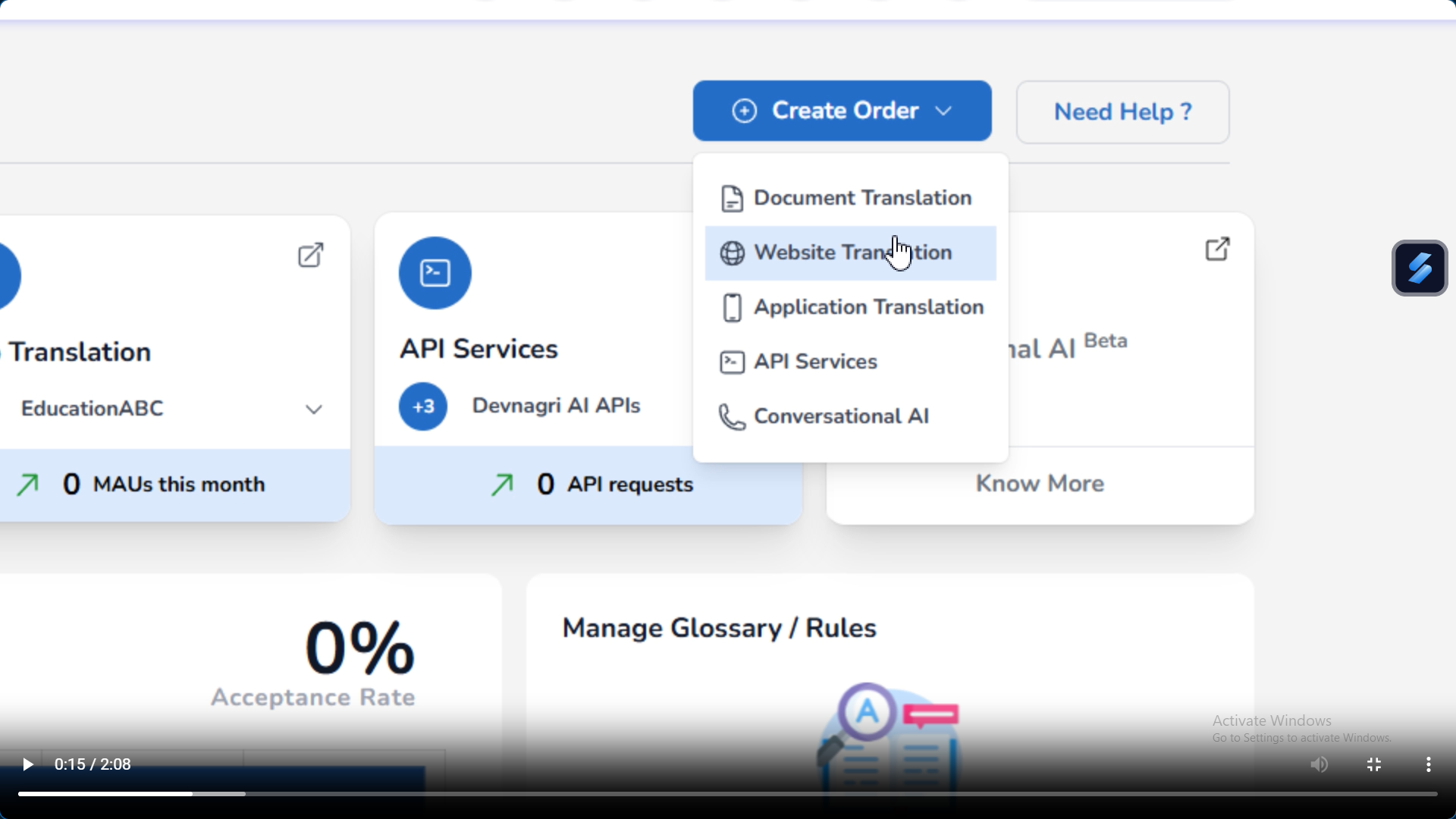
1. Select Website Translation
Once you’re logged in, the first tab you’ll notice is “Website Translation.” Click on that, since it’s the core feature we’re focusing on here.
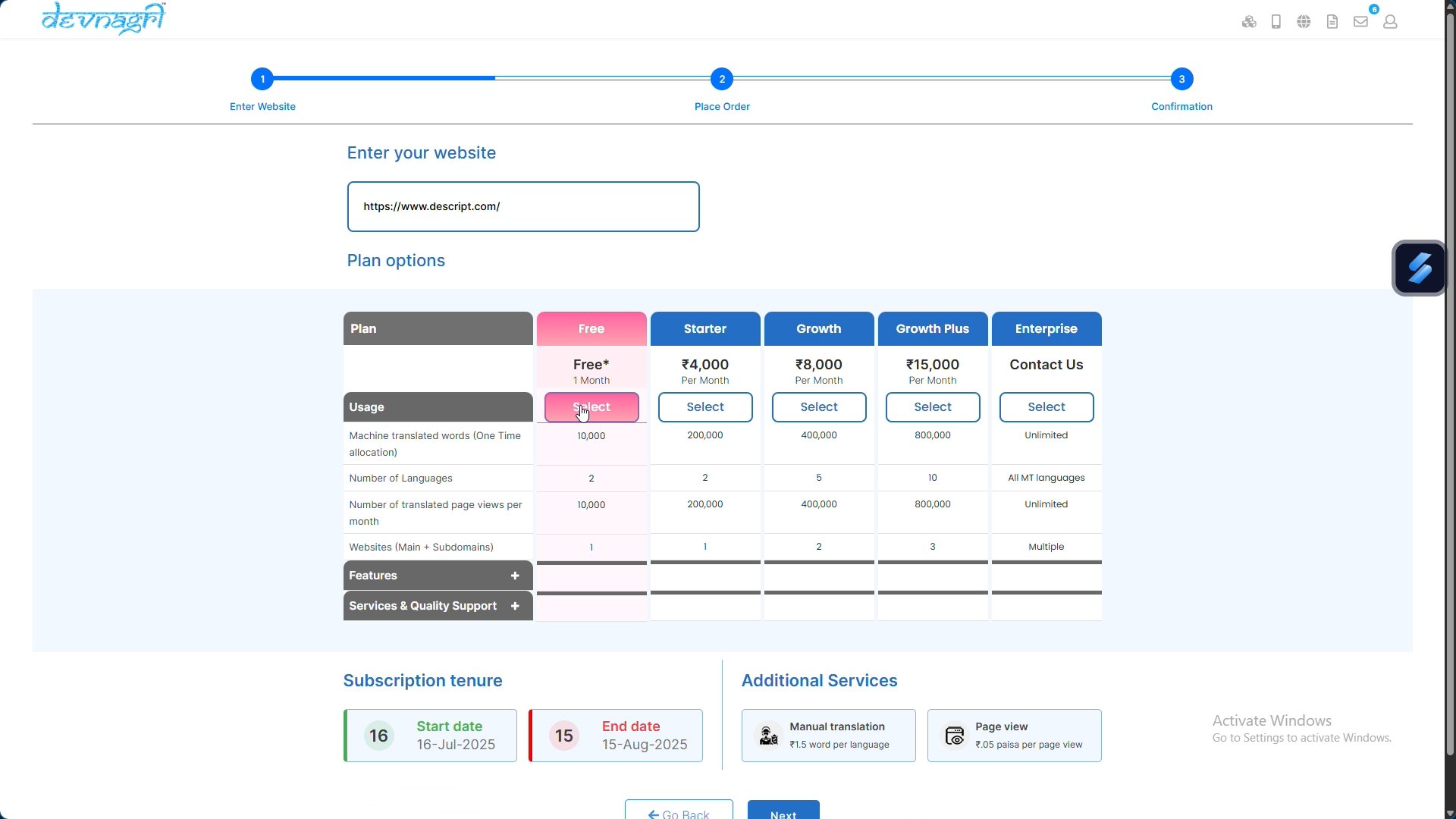
2. Pick a Plan → Next
You need to pick a plan that works for your project. It’s a good idea to consider how big your website is before you choose a tier.
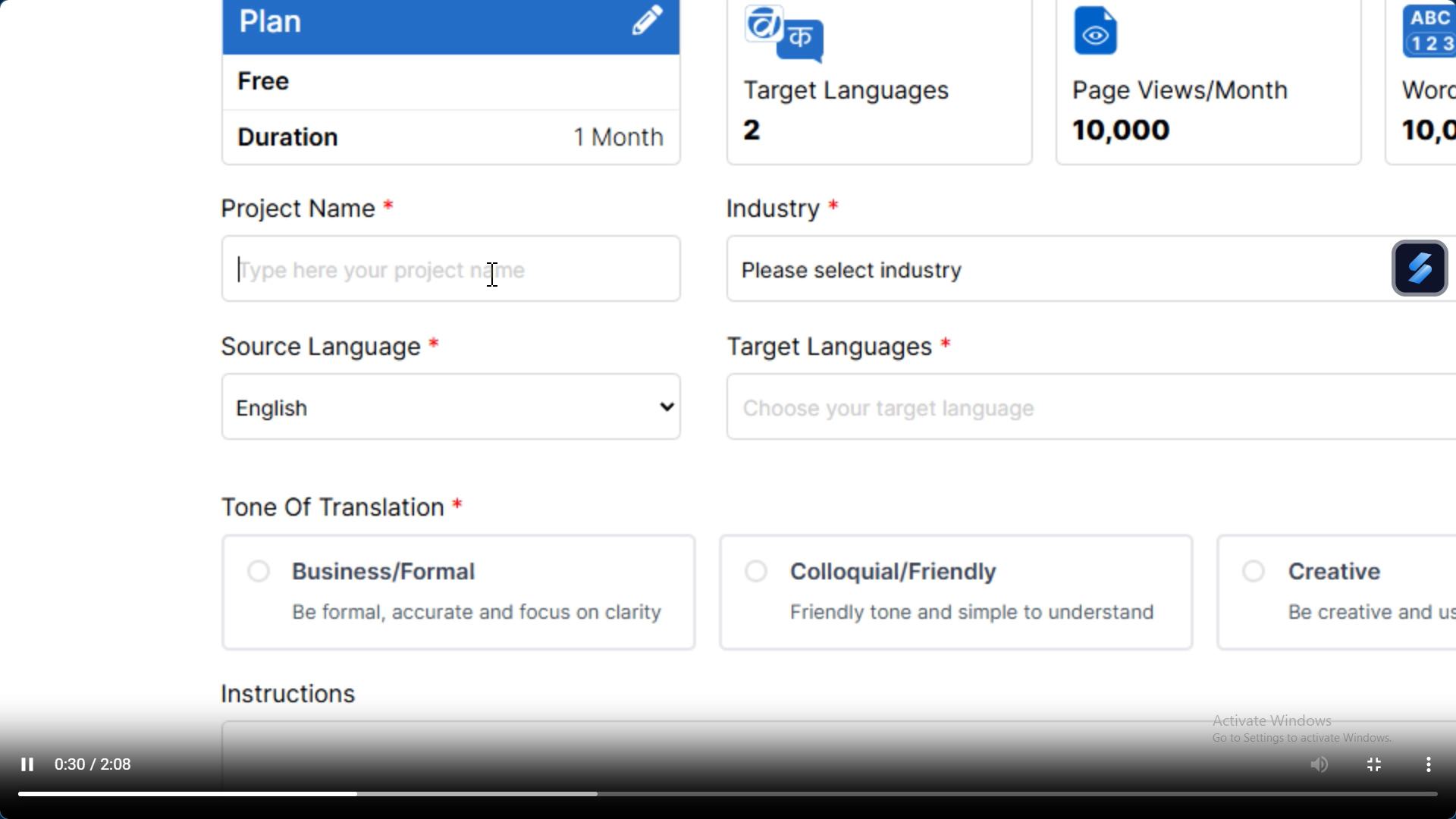
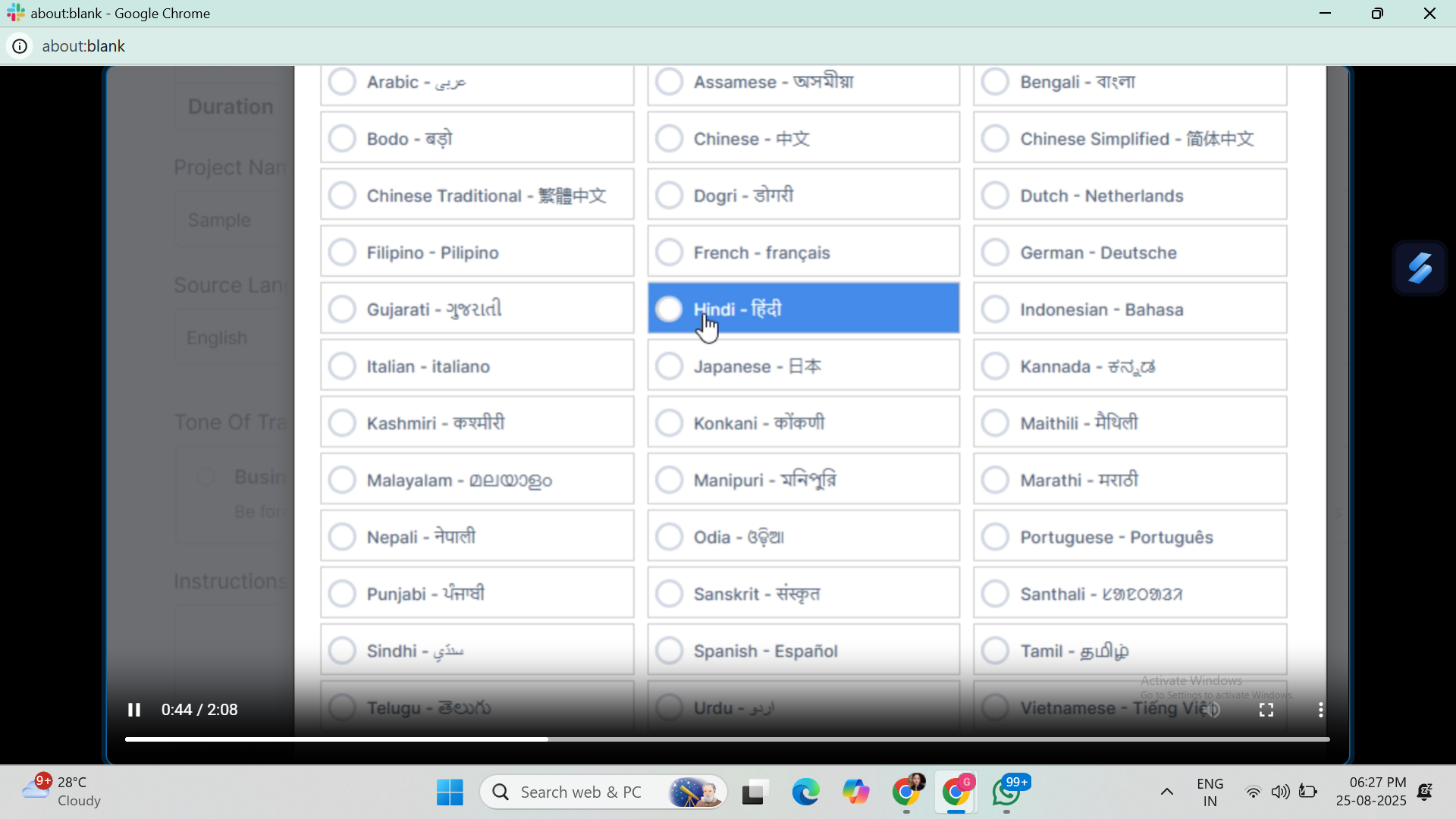
3. Add Project Details
This is the fun part. You give your project a name.
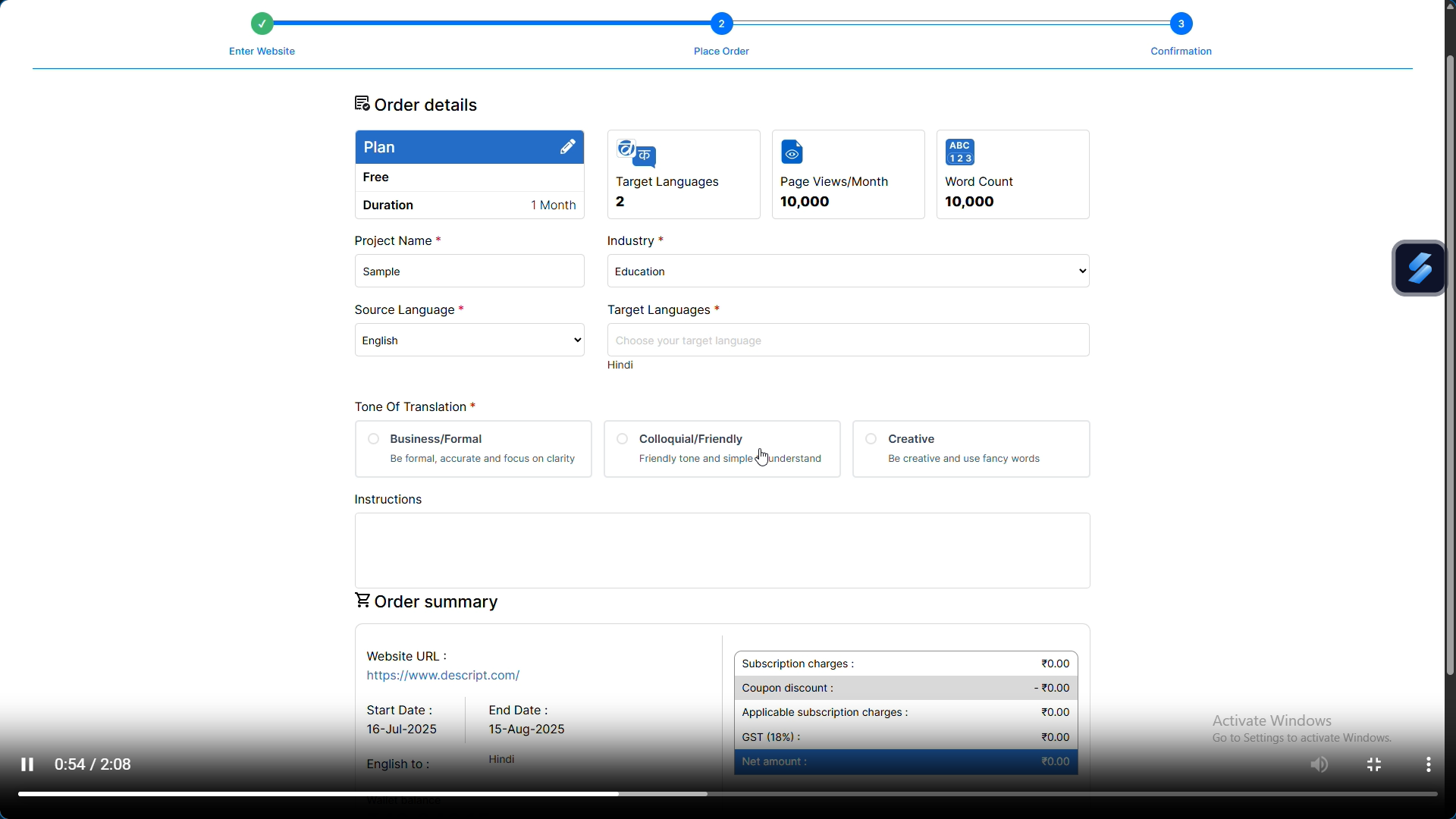
Specify the industry (so the translation understands whether you’re a bank, a travel blog, or a clothing store), choose the tone (formal, friendly, etc.), and then select languages.
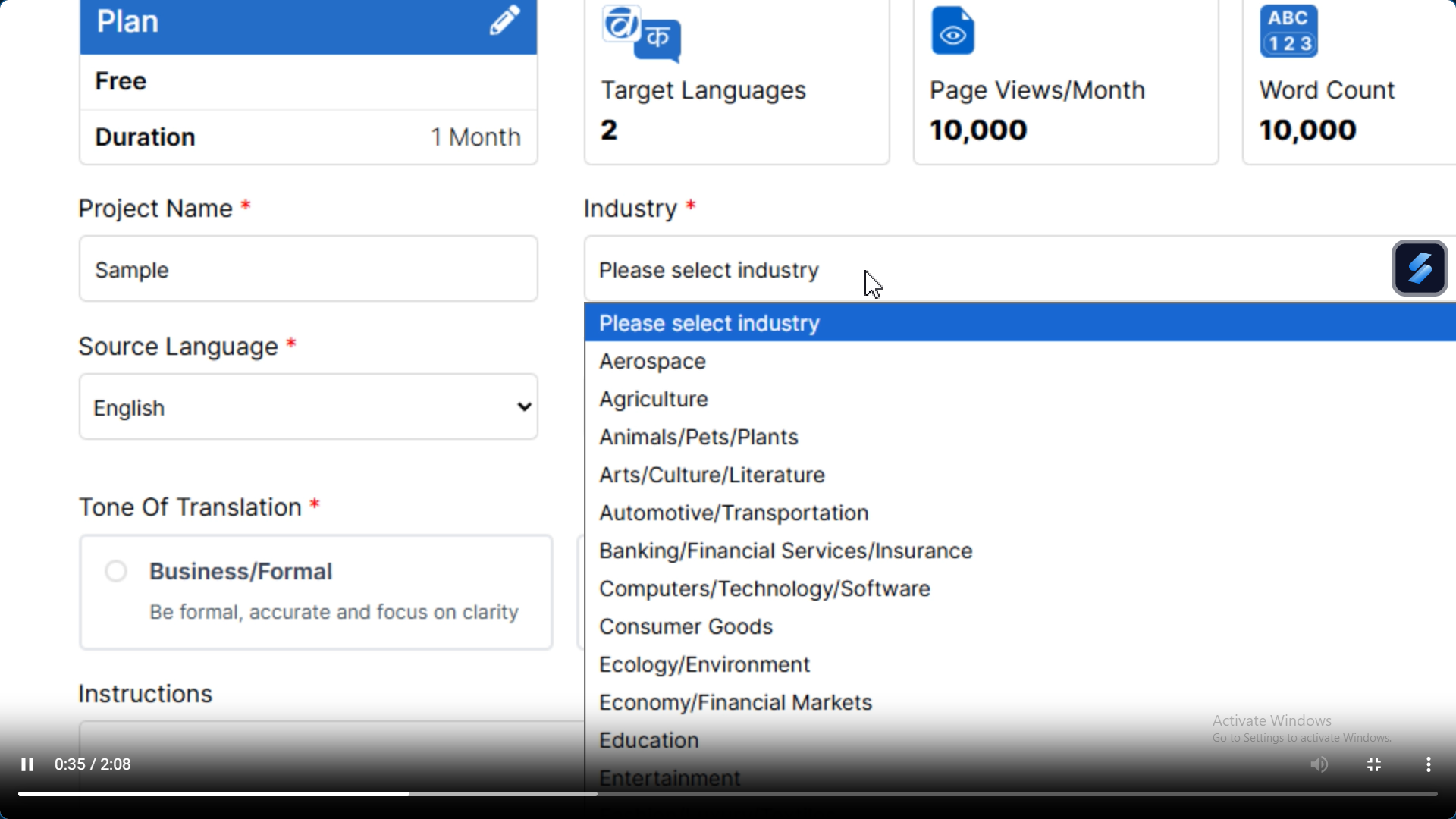
For this guide, of course, we’re picking English to Hindi, but yes, you can actually add more than one language if you want a multilingual site.
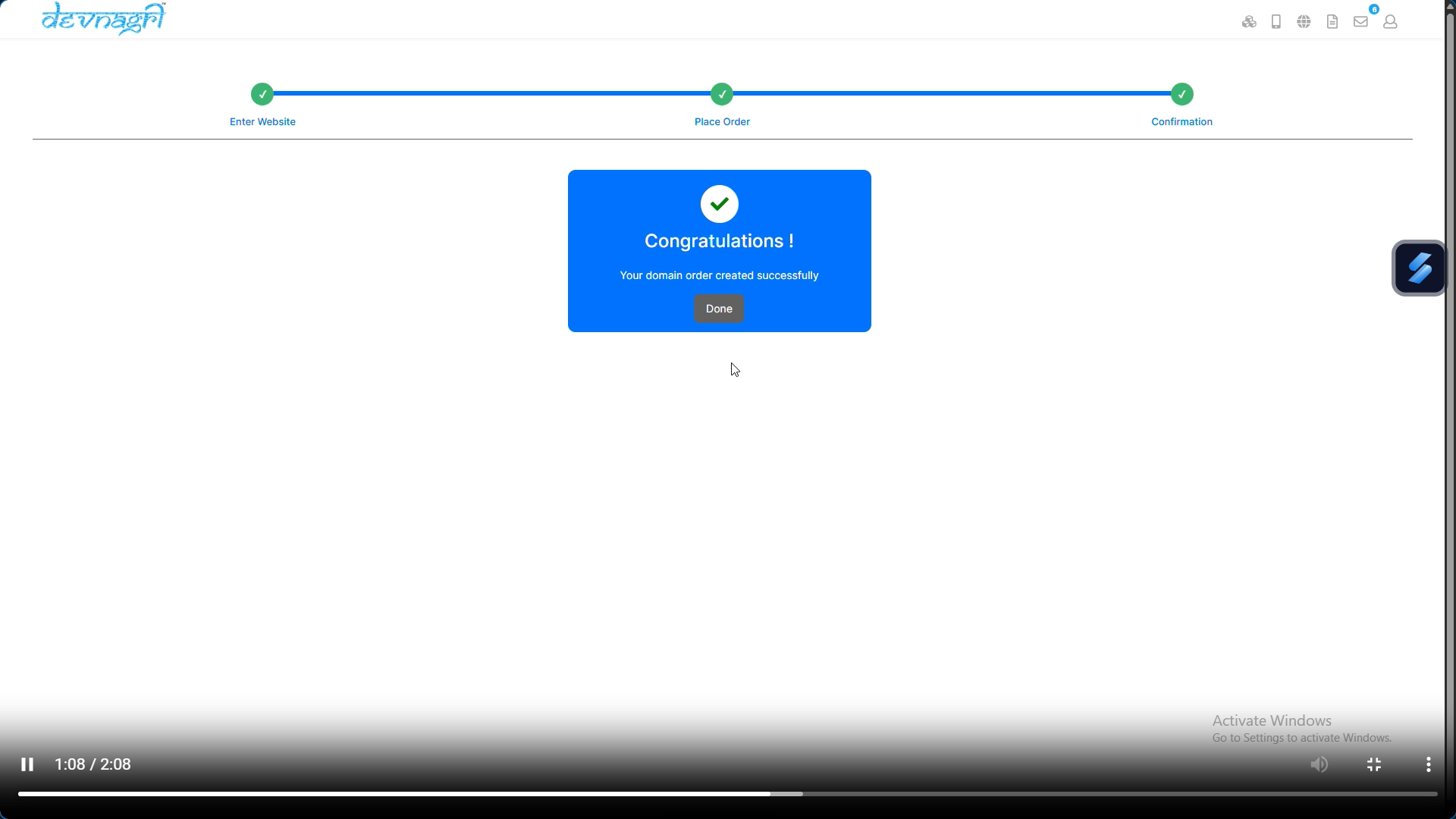
4. Make Payment
Straightforward step. Once you pay, the system auto-creates a domain slot for your translations.
5. Domain Auto-Created
What this means is that DOTA Web instantly prepares a translation-ready copy of your site. You’re not left staring at a blank page, it spins up a usable framework.
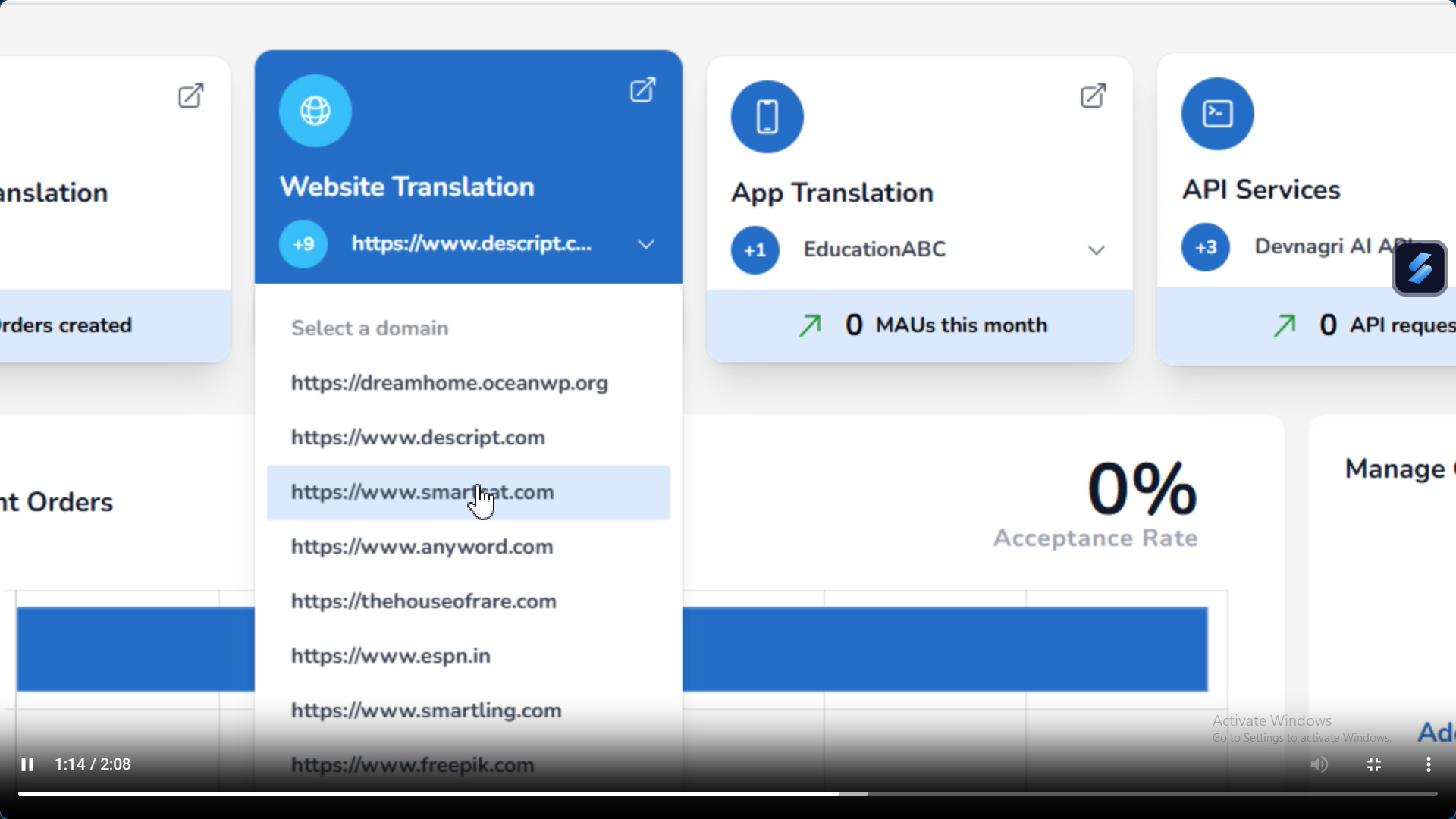
6. Open Website Translation Tab
Now head back to that section.
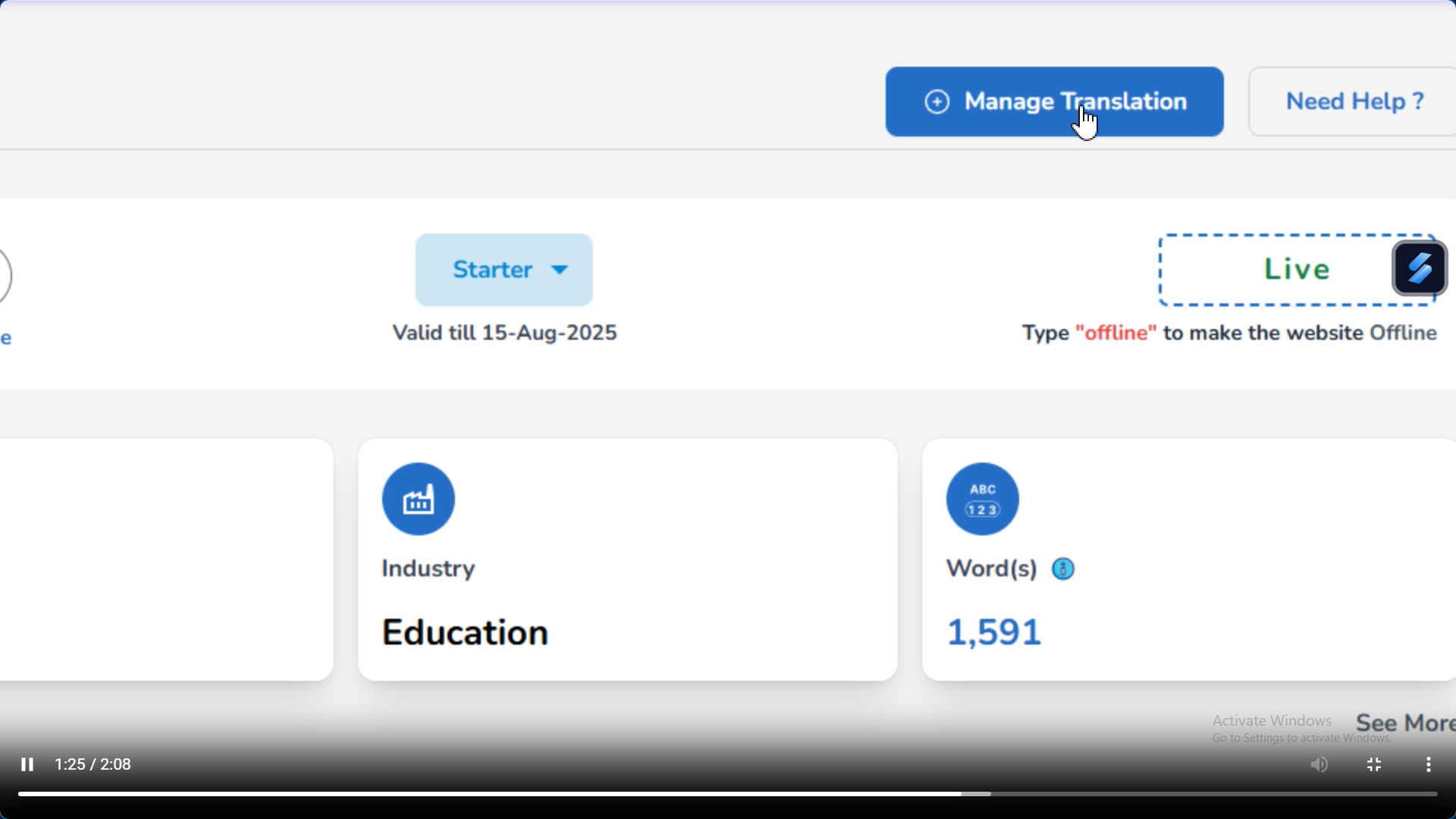
7. Click Manage Translation
This is where you’ll be spending most of your time. It’s essentially the control room.
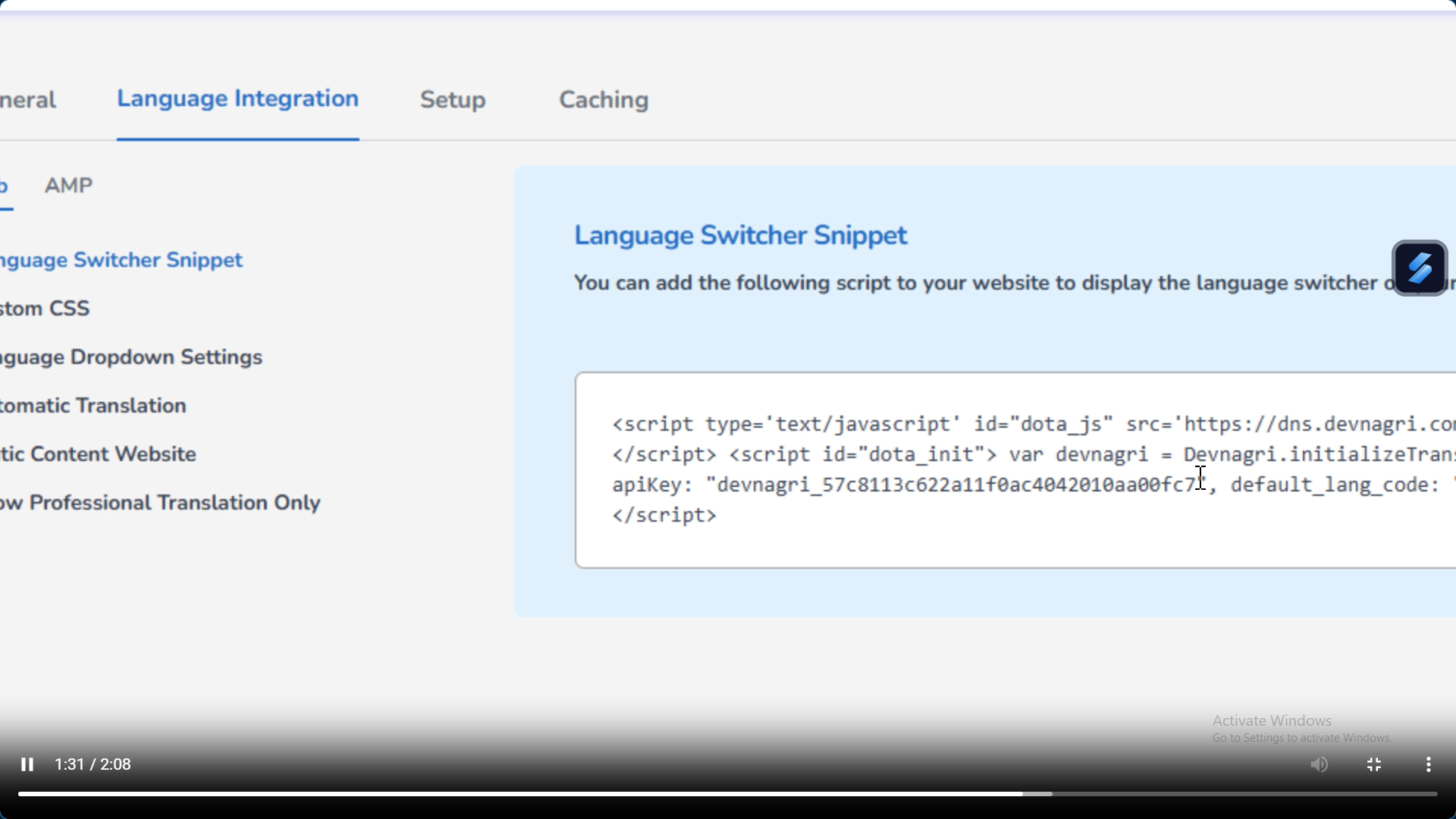
8. Copy the API Key from the Snippet
Each project is assigned a unique API key, which can be found in the “Snippet” section.
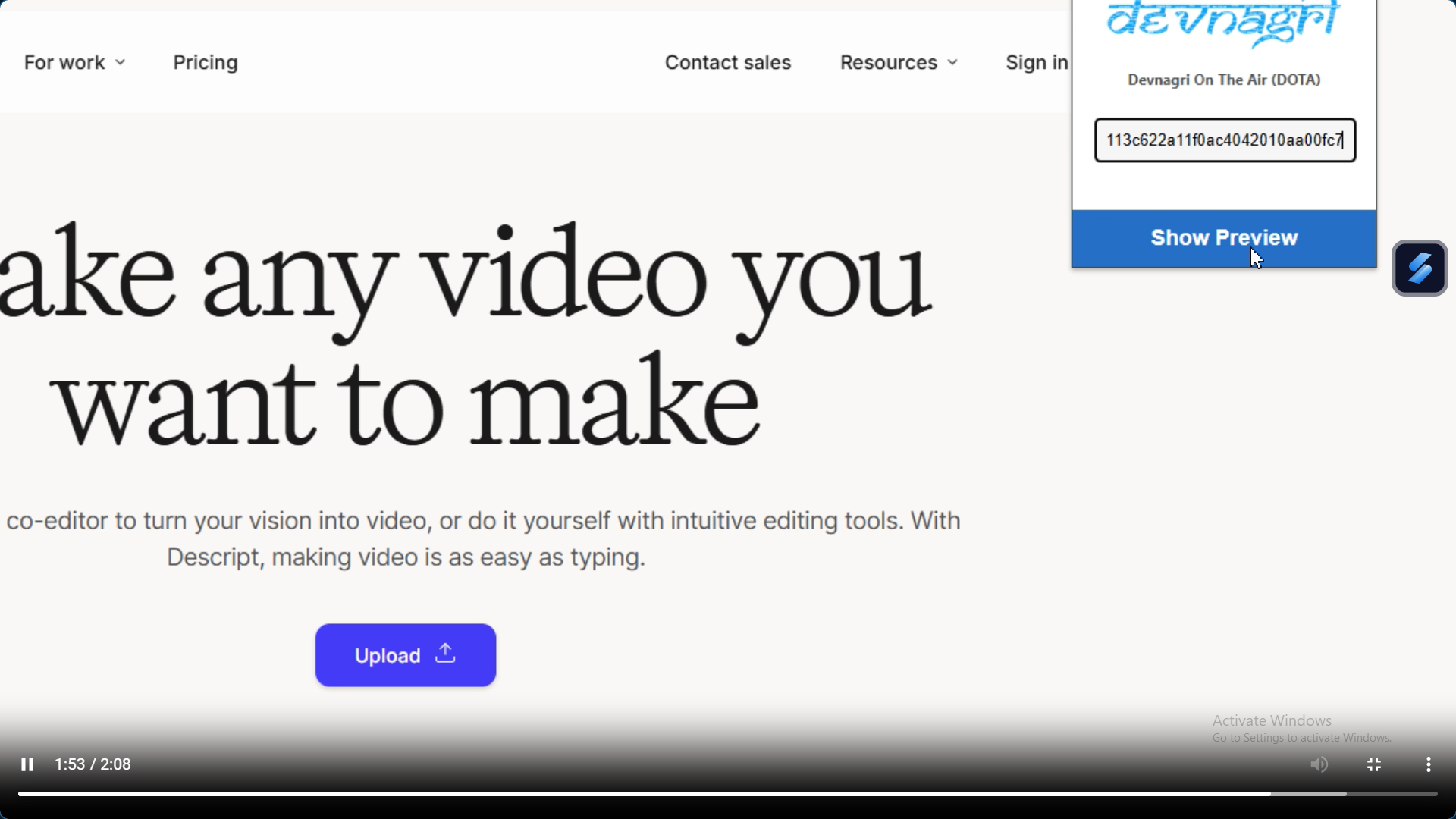
9. Paste into Plugin
Finally, head to your CMS (WordPress, Shopify, whatever you use), install the DOTA plugin if you haven’t already, and paste that API key in.
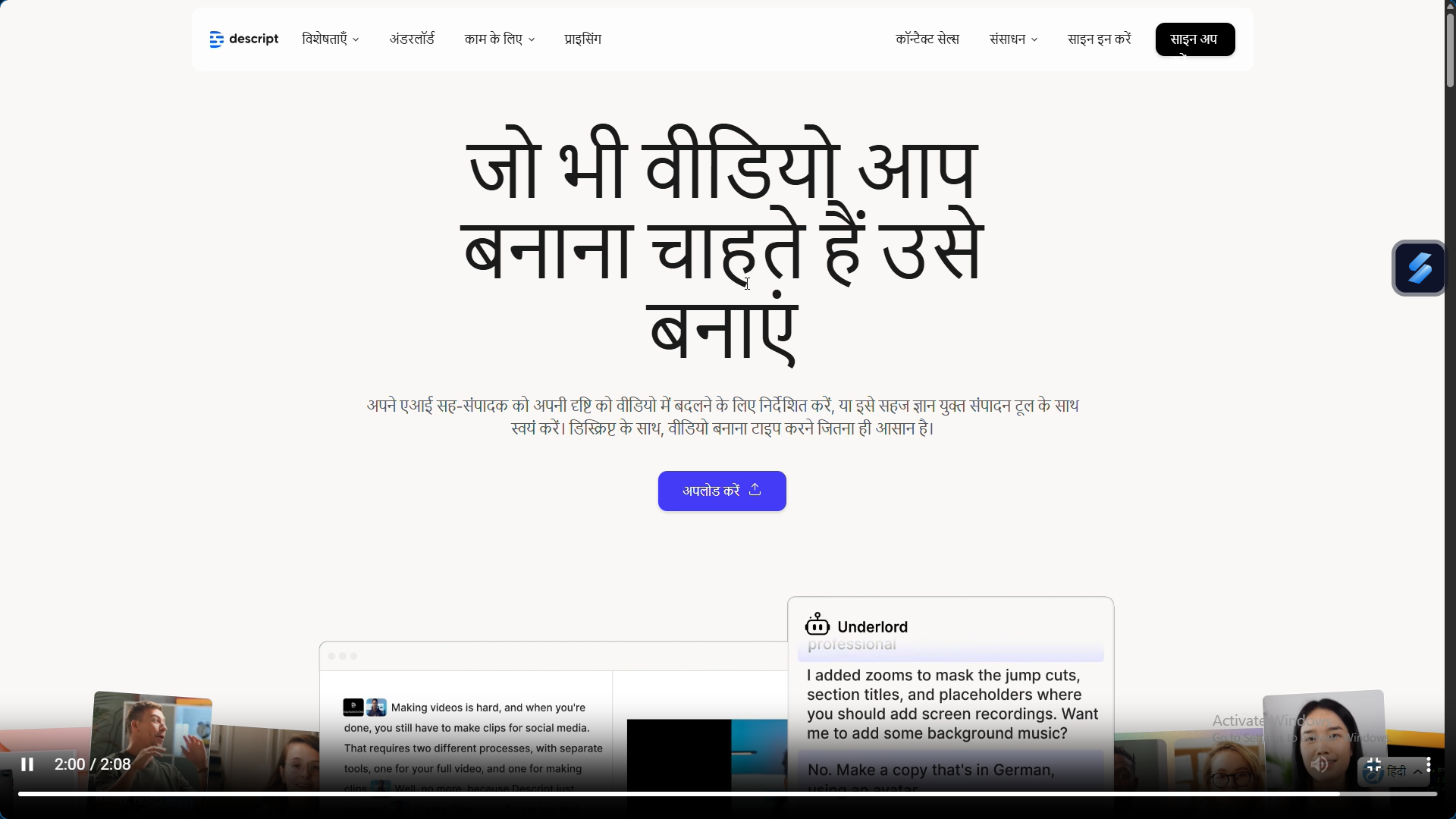
And that’s it. At this point, you hit publish and, well, you’ve just gone local.
Tips for Best Results
Now, even though the steps are fairly simple, here are a few tricks I’ve picked up over time:
- Always review industry-specific terms. A fintech site and a food blog won’t speak the same Hindi, so tweak where needed.
- Use the “tone” setting wisely. If your brand voice is casual in English, don’t let the Hindi version suddenly sound like a legal contract.
- Test how the translated site looks on both desktop and mobile. Sometimes line breaks or button texts in Hindi can appear longer than in English.

Why is DOTA Web the Best Converter of English to Hindi?
Here’s where I’ll be blunt: accuracy and speed are obvious benefits, but what makes it stand out is the mix of context, usability, and SEO gains.
Accuracy with context. Unlike free translators, DOTA Web doesn’t just toss words at you. It understands whether “charge” is about electricity, a credit card, or a military move. That makes your Hindi website feel natural instead of robotic.
Time efficiency. With manual translation, you could be waiting weeks to get a full site ready. Here, you can set things up in days or even hours if you’re quick.
User-friendly interface. You don’t need to know a single line of code. If you’ve ever managed a WordPress plugin, you can handle DOTA Web.
SEO advantage. A correctly translated Hindi site helps you appear on local search queries. According to Google India, Hindi content consumption online has grown 94% year-on-year [source]. That’s not just about traffic, it’s about trust from people who see content in their language.
More Ways to Use DOTA Web for English to Hindi Conversion
Website translation is the headline use case, sure, but once you start exploring, you’ll realize it goes further:
- Blogs and Articles: If you’ve been writing content in English for years, you don’t have to leave Hindi readers behind.
- Product Descriptions: Ideal for e-commerce stores seeking to make listings accessible to all users.
- Multilingual Sites: Hindi may be your first step, but what if you also want Tamil, Bengali, or even Spanish later?
- Integrations: DOTA Web interfaces with well-known CMSs, making setup simple.
If you’ve been thinking of making your website available in more than just English, DOTA Web can really help you target the huge Hindi-speaking audience. DOTA Web makes it easy by linking to your site. You don’t have to deal with many freelancers or copy-paste translations. Just start a project, select English to Hindi as your language combination, and follow the instructions. Choosing a plan, inputting project details, and adding the API key to your CMS plugin are all part of these procedures. In a few minutes, your site will be live in Hindi. This will help you meet people in your neighborhood and improve.
In conclusion
So, to sum it up, Hindi is no longer just another option. It’s becoming the language of millions of people on the internet. Translating by hand takes too long and isn’t always accurate, but DOTA Web makes it easy, fast and accurate to translate from English to Hindi.
Now is the time to make your website bilingual if you want to do well in India. Your competitors will get there first if you don’t hurry. Are you ready to head to the area? Check out DOTA Web today and see how simple it is to talk to Hindi speakers.
FAQ’S
Q:1 How can I turn a whole website into another language?
A:1 Devnagri offers three straightforward methods for translating a website. Choose our completely managed services, our hybrid solution that combines experienced translators with AI technology, or our automated API for real-time CMS integration. We review the scope of your content and suggest the best approach. We take care of everything from setting up the technical side of things to making sure that the material on our clients’ websites is always up to date in numerous languages.
Q:2 What does it mean to translate a website?
A:2 Website translation makes your entire online presence accessible to people who speak different languages and come from diverse cultures. In addition to changing content, it also includes changing graphics, layouts, SEO information, and making sure that everything is culturally suitable. Devnagri takes care of technical aspects such as URL structures, navigation menus, forms, and dynamic content to ensure each target market has a smooth experience with your business.
Q:3 How to change the language of a webpage on your phone?
A:3 Most people don’t realize how easy it is to translate websites on your phone. Devnagri provides responsive translations that perform well on all devices, ideal for organizations requiring multilingual sites that function seamlessly on mobile devices. You can manage website translations directly from your phone using our mobile-friendly dashboard.